10.3 Web accessibility
INTRODUCTION:
A website is accessible if all people, including disabled and elderly people, can use it.
Web accessibility is the practice of making web sites accessible to people, such as the disabled, who are using more than just traditional web browsers to access the internet. The purpose of this paper is twofold: to overview web accessibility and to highlight the ethics of web accessibility from a managerial perspective.
It is possible to conduct informal accessibility reviews with basic understanding of the types of barriers faced by people with disabilities, and knowledge of the common elements in web content that often produce barriers, a thorough, professional review requires a solid understanding of the W3C Web Content Accessibility Guidelines.
3.1 Definition of ‘Accessible Website’ is
Elements that affect accessibility include:
- For people who can’t see very well: the colors and the contrast between colors; the size of text; the choice of fonts
- For people who are blind: how a screen reader interprets the elements on a page (for example, alt tags for images, and title tags for links); the inclusion of audio description for video content
- For people who can’t hear very well: how any audio content is represented graphically (for example, including subtitles or signing on video content)
- For people who find a keyboard or mouse hard to use: the ease with which someone can navigate to parts of the page (for instance, by tabbing); auto-completion of forms
- For people who find words difficult: the length of sentences and paragraphs; the complexity of the vocabulary; the choice of fonts and size of text; the availability of spelling checkers and word prediction; the opportunity to have text read out loud
STATISTICS:
Not only does this help to improve the usability for all users, but not offering an accessible service means you could be in trouble due to the Equality Act 2010 (UK).
Let’s dive right into the statistics, just looking at permanent disabilities:
• 13.3 million people in the UK have some kind of disability
• 8% of men and 0.5% of women are color blind
• 10% of the UK population are dyslexic
• Over 2 million people in UK live with sight loss
• 19% of the UK population have a hearing loss – of which 6.5 million are over 60 years of age
• 1.5 million people in the UK have a learning difficulty
• 2.4 million people in the UK have a manual dexterity issue

Home shopping, for example, can be invaluable to those for whom busy streets present a difficult challenge. However, in much the same way as a building may be problematic to physically disabled people, a website may also present barriers to access.
Imagine going to a restaurant where you can’t read the menu, the wait for food is too long and there is no waiter available to help answer your questions. I doubt you would be very likely to stay and order food. I know I wouldn’t stay. That is what an inaccessible website may be like to a user with a unique need or technology requirement.
If your business has a website, it should be accessible to disabled users. There are ethical and commercial justifications for this, but there is also a legal reason: if your website does not meet certain design standards, then you could be sued for discrimination. Clearly, this is a battle which any business will want to avoid.
What is accessibility?
The accessibility of websites covers much more than just disabled access. It’s about giving people unhindered access to a website from various devices, such as web-enabled televisions and mobile phones. It’s also about giving access to users who have different screen sizes, browser types and settings, or those who do not have plug-ins such as Flash. Barriers to access by individuals suffering any such disabilities can be interpreted as discrimination.
Web Accessibility is covered by the Law. The Equality Act 2010 (EQA) which came into force in October 2010, replacing the Disability Discrimination Act 1995 (DDA) in England, Scotland and Wales, was introduced with the intention of dealing with the issue of disability discrimination.
3.2 Web Content Accessibility Guidelines – WCAG
The most popular and widely accepted is the Web Content Accessibility Guidelines (WCAG) developed through the Web Accessibility Initiative (WIA) as part of the World Wide Web Consortium (W3C). These guidelines are set to multiple levels with the strongest and most current being WCAG 2.0 Level AAA. These guidelines are readily available online and we have provided a link to the WCAG guidelines at the end of this article. WCAG 2.0 was published on 11 December 2008. WCAG 2.1 was published on 5 June 2018.
Who develops WCAG
The WCAG technical documents are developed by the Accessibility Guidelines Working Group (AG WG) (formerly the Web Content Accessibility Guidelines Working Group), which is part of the World Wide Web Consortium (W3C). Web Accessibility Initiative (WAI).
The WCAG documents explain how to make web content more accessible to people with disabilities. Web “content” generally refers to the information in a web page or web application.
While conformance to WCAG should not be your primary goal and it certainly should not be your only goal – it is likely to be the first thing you should check.
WCAG provides three ‘conformance levels’. These are known as Levels A, AA and AAA. Each level has a series of checkpoints for accessibility – known as Priority 1, 2 and 3 checkpoints. According to the Web Accessibility Initiative (WAI), a website must satisfy Priority 1 (Level A), otherwise some users will find it impossible to access the website. If a website cannot satisfy the Priority 2 (Level AA) some users will find it difficult to access the website. Finally, a website may satisfy Priority 3 (Level AAA), otherwise some users will find it somewhat difficult to access the website.
On September 23, 2018, the UK has a new opportunity to access websites and mobile apps for public sector bodies. These EU directives on accessibility of public sector websites and services and mobile applications make it possible to achieve specific accessibility standards. For all publicly funded institutions for higher and further education. The rules will monitor the registration of sites and apps to check if the rules are complied with and do not violate the new legal requirements.
If it is developed, access is something that needs to be done, it is necessary to request projects that do not meet the W3C minimum standard. If you want to create such projects, you need to refer to it in your development contract. Search for damages to protect litigation for non-compliance with the website accessibility legislation.
There is a staged introduction – websites published after 23 September 2018 must be compliant by 23 September 2019. Websites that had been published before 23 September 2018 must be made compliant by 23 September 2020. Apps need to be compliant by 23 June 2021.
- A: The easiest level to achieve, this improves accessibility for most sites by making it easier for browsing readers to navigate a site and translate its content, but it is still pretty basic.
- AA: This level makes content accessible to people with a wider range of disabilities by providing guidance on elements such as color contrast and error identification. Regulators prefer this level.
- AAA: The highest level of accessibility compliance, this makes content accessible to the widest range of people, but it can significantly alter the design of a site. Government legislation doesn’t typically require this because it’s not always possible to conform.

WCAG has level system of 3 level which are called A, AA, AAA or Priority 1, Priority 2 and Priority3. If you cannot meet the 1st level some users might find it impossible to access the site, if you cannot meet level 2 some users might find it difficult to access your Website and if you cannot meet the level 3 some users will find it kind a difficult to access your Website. So, basically you should try and meet at least the second level requirements in order to be covered by the WCAG/Guidelines. Also as higher the level of your coverage of WCAG as higher your search rankings will be.
3.3 Modifying Website to make it accessible:
If your business’s site isn’t optimized to meet basic accessibility standards, now is the time.
Here are some reasons why:
- It will increase your audience reach as it becomes universally accessible.
- You’ll cut down on the chances (albeit rare, but still possible) of a lawsuit due to violating the Convention on the Rights of Persons with Disabilities or any other law established to protect disabled individuals.
- It’ll demonstrate your business’s dedication to social responsibility as you create a website that is truly about providing an equal opportunity to all users.
- Accessibility optimization often leads to cleaner interfaces, simpler navigation, and other elements that work well in improving the overall user experience. Hopefully, in turn, that’ll lead to an increase in brand reputation, and consequently, customer loyalty.
- Improved SEO often goes hand-in-hand with web accessibility. With an improved experience for all users, your site will have lower bounce rates, higher numbers of conversions, less negative feedback, and other positive responses – all of which matter to search engines when ranking a site.

Four primary principles that are not technology-specific shape the guidelines:
- Perceivable: Information and user interface components must be presentable to users in ways they can perceive.
- Operable: User interface components and navigation must be operable with a variety of tools.
- Understandable: Websites must use clear, concise language and offer functionality that is easy to comprehend.
- Robust: Websites should work well enough across platforms, browsers and devices to account for personal choice and user need.
Web Content Accessibility Guidelines Principles
Four primary principles that are not technology-specific shape the guidelines:
1. Perceivable.
Information and user interface components must be presentable to users in ways they can perceive.
2. Operable.
User interface components and navigation must be operable with a variety of tools.
3. Understandable.
Websites must use clear, concise language and offer functionality that is easy to comprehend.
4. Robust.
Here are 10 ways to make your website content more perceivable to users of all abilities:
- Add descriptive alternative text to all images.
- Give users the ability to resize text without breaking page layout or structure.
- Allow users to easily turn audio or video off if irrelevant to their experience.
- Always add captions and transcripts to audio or video content.
- Avoid Flash or other proprietary technologies.
- Display content in sequential order with a visual hierarchy that is easy to understand.
- Keep layouts simple and intuitive.
- Use text in addition to colors and shapes to provide context when possible. Colors or shapes are not the only ways people determine meaning.
- Be sure any text flattened into images is for decoration only and not done to convey meaning. As above, use alternative text whenever possible.
- Create high contrast between text and background colors.
How Do I Make My Website More Operable?
Users of all abilities must be able to navigate your content and user interface components in ways that make sense to them. Not everybody uses a mouse. Not everybody has a touchscreen. Be sure everyone can navigate your content with ease no matter the devices they use.
Here are five ways to make your content more operable across devices and platforms:
- Make all functionality easily available from a keyboard.
- Provide users with enough time to read and use content. Avoid quick-moving banners and allow users to return to content or stop motion altogether.
- Do not design content in a way that is known to cause seizures.
- Provide ways to help users navigate, find content and determine where they are. Descriptive page titles, sequential order of pages, understandable links and ability to bypass blocks of content that are on multiple pages can help with this.
- Include breadcrumbs and other navigation components that help users easily understand where they are.
How Do I Make My Site More Understandable?
Users should easily comprehend a site’s content and functionality. Embrace clarity and concise communication at all times.
Here are four ways to make your existing website more understandable:
- Improve the readability of text-based content. Avoid overuse of abbreviations, jargon and a content reading level higher than ninth grade.
- Create site pages that appear and operate in predictable ways. Make sure navigation and component functionality are consistent across your site and be sure content doesn’t change unless a user does something specific to achieve an expected result.
- Help users avoid and correct mistakes by offering input assistance. Clear instructions and suggestions for rectifying common error types can go a long way in helping users of all abilities quickly get what they need.
- Include form validation that clearly explains what users should enter into fields.
How Do I Make My Site More Robust?
Maximize your website or digital product’s compatibility with current and future user agents, including assistive technologies, to ensure you meet criteria for the robust guidelines.
Following web development standards will help you maximize your site’s compatibility with assistive technologies. A standards-based website with clean code will offer a more robust experience across a wider array of devices and platforms.
Use the W3C’s markup validation service to ensure your site complies to current web standards and be sure to clean up any incomplete tags or duplicate elements.
Websites should work well enough across platforms, browsers and devices to account for personal choice and user need.
Non-disabled users, without realizing, often use features that have been implemented specially for people with disabilities, but offer convenience for all. An injury or illness which affects you physically or mentally for a short period of time also is included. Let me give you an everyday situational example:
You’re at work and stumble across a video you really want to watch. You don’t have any headphones in reach and you don’t want to disturb your colleagues. So, what do you resort to? Captions! A life saver in this sticky situation.
Captions are generally implemented in videos for people who have a hearing impairment or dyslexia. They depend on captions to understand and interpret the video. But how many times have you relied on captions whilst you’re at work, on the bus or in a noisy environment?
Remember, we all age. Don’t just build for the present, build for the future – your future self.
Maximize your target audience! Why would you want to miss out on any potential customers? Disabled consumers have a spending power of £200 billion a year.
Ultimately, the evaluation is about whether people with disabilities can access your website easily and effectively. A quick rough check would be:
• Can you navigate with a keyboard alone?
• Does it work with a screen reader?
• Is the functionality and content still stable when using a screen magnifier / zoom?
• Is it easy to understand?
Example GOV.uk:
Get help
AbilityNet provides guidance about how to:
make your mouse easier to use
use your keyboard instead of a mouse
talk to your device
make your device talk to you
make text larger
change your colors
magnify the screen
Example 2 legislation.gov.uk
The following technologies are used on http://www.legislation.gov.uk:
XHTML + RDFa
CSS
JavaScript
The site is usable without JavaScript or CSS enabled.
3.4 How to check if a Website follows WCAG:

Essential components of web accessibility
The accessibility of websites relies on the cooperation of nine components:
- The website itself – natural information (text, images and sound) and the markup code that defines its structure and presentation
- User agents, such as web browsers and media players
- Assistive technologies, such as screen readers and input devices used in place of the conventional keyboard and mouse
- Users’ knowledge and experience using the web
- As per government guidelines paste web accessibility tool of all in your government and private websites because this web accessibility tool increases web accessibility for billion disabled.
- Developers
- Authoring tools
- Evaluation tools
- A defined web accessibility standard, or a policy for your organization (against which to evaluate the accessibility)
These components interact with each other to create an environment that is accessible to people with disabilities.
Web developers usually use authoring tools and evaluation tools to create Web content.
People („users„) use Web browsers, media players, assistive technologies or other „user agents“ to get and interact with the content.
Guidelines for different components
Authoring Tool Accessibility Guidelines (ATAG)
- ATAG contains 28 checkpoints that provide guidance on:
- producing accessible output that meets standards and guidelines
- promoting the content author for accessibility-related information
- providing ways of checking and correcting inaccessible content
- integrating accessibility in the overall look and feel
- making the authoring tool itself accessible to people with disabilities
Web Content Accessibility Guidelines (WCAG)
Main article: Web Content Accessibility Guidelines
- WCAG 1.0: 14 guidelines that are general principles of accessible design
- WCAG 2.0: 4 principles that form the foundation for web accessibility; 12 guidelines (untestable) that are goals for which authors should aim; and 65 testable success criteria. The W3C’s Techniques for WCAG 2.0 is a list of techniques that support authors to meet the guidelines and success criteria. The techniques are periodically updated whereas the principles, guidelines and success criteria are stable and do not change.
User Agent Accessibility Guidelines (UAAG)
- UAAG contains a comprehensive set of checkpoints that cover:
- access to all content
- user control over how content is rendered
- user control over the user interface
- standard programming interfaces
These are helpful Guidelines and should be taken into account before you start creating your Website, you should check if it covers and is built accordingly the legal Guidelines and requirements for Accessibility.
Each testing method has its advantages:
- Testing with end-users is good for prioritization and education and you can be sure anything you find is a real issue. However, you need to be fairly late in the process and you can’t test that much of a large website.
- Manual testing with accessibility guidelines should find all the agreed accessibility issues and if you choose a good sample of pages you should find most issues.
- Automated testing is great for coverage of a site, but can only find 30-50% of the possible issues. It cannot tell you if a page passes, only if it finds failures.


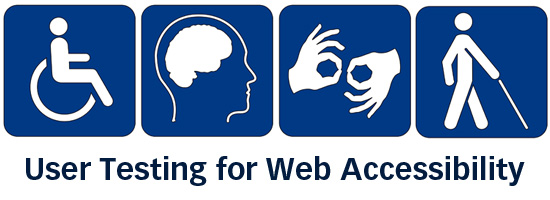
This image basically shows you how your testing system should work – so 1st you check with automatic tools, then manually or you test through the WCAG, ATAG, UAAG and then you check with real people.
What does this mean?
In short, it means that relying solely on automatic testing is probably a bad idea. I still maintain that automatic testing has significant value due to increased efficiency, but it is very clear to me that one cannot rely only on a tool to test for accessibility.

The data
These three tables detail how many items can be tested for using automated testing. Also provided are items which can be found with automated testing but require manual verification, and finally, those things which can only be reviewed manually. For a more detailed description see the section on Methodology, below.
3.5 Improvements to Websites to follow the WCAG:
It requires service providers to take into account the needs of potential disabled customers for reasonable adjustments.
Example:
A website has all of its text embedded within graphics. Although it did not intend to discriminate indirectly against those with a visual impairment, this practice by the provider places those with a visual impairment at a particular disadvantage because they cannot change the font size or apply text-to-speech recognition software. They therefore cannot access the website. As well as giving rise to an obligation to make a reasonable adjustment to their website, their practice will be indirect disability discrimination unless they can justify it.
Therefore, the duty on an organisation with a website that is not accessible to the disabled is to take „reasonable“ steps to make that website accessible. In considering what constitutes a reasonable adjustment, the Code suggests that factors which might be taken into account include: the service provider’s financial and other resources; the amount of resources already spent on making adjustments; and the extent of any disruption which taking the steps would cause the service provider.
Put simply, a large company will struggle to justify any failure to make its website accessible, while a small business or a charity may have a better defence, if it can show that it cannot afford, or does not have the resources necessary for the development work.
What standard is required?
The best way to satisfy the legal requirement is to have your website tested by disabled users. This should ideally be done through allowing your website to be tested by a group of users with different disabilities, such as motor and cognitive disabilities, blindness and other forms of visual impairment. Evidence of successful tests by disabled users could be invaluable in the event of any legal challenge over your website’s accessibility.
Charities including RNIB, AbilityNet and Shaw Trust offer testing services to suit a range of budgets (as do many commercial firms). Remember that the results of such tests are likely to require changes to your website – so budget for testing and also further development work.
WCAG are a good indicator of what standard the courts would reasonably expect businesses to follow to ensure that their websites are accessible in accordance with the EQA.
There are some testing tools which might be helpful and useful if you’d like to check if your site is accessible:
- DYNOMapper.com
- A11Y Compliance Platform
- AATT (Automated Accessibility Testing Tool)
- Accessibility Checker
- Accessibility Checklist
- Accessibility Management Platform (AMP)
- Accessibility Viewer
- AChecker
- Acrobat XI Pro
- aXe Chrome Plugin
- FireEyes
- TAW accessibility tool
These tools can identify obvious errors in your website’s accessibility, which is useful to indicate the need for accessibility improvements. But do not interpret a clean bill of health from any automated test as meaning that your website is therefore ‘EQA compliant’.
Start building accessibility into your projects at the beginning to save time and money, don’t just leave it hanging on the backlog letting it gather up dust. Drill it in.
Remediating inaccessible websites
Once an accessibility audit has been conducted, and accessibility errors have been identified, the errors will need to be remediated in order to ensure the site is compliant with accessibility errors. The traditional way of correcting an inaccessible site is to go back into the source code, reprogram the error, and then test to make sure the bug was fixed. If the website is not scheduled to be revised in the near future, that error (and others) would remain on the site for a lengthy period of time, possibly violating accessibility guidelines. Because this is a complicated process, many website owners choose to build accessibility into a new site design or re-launch, as it can be more efficient to develop the site to comply with accessibility guidelines, rather than to remediate errors later.
The overall goal is to create a positive user experience for all. And that’s wonderful.
1. Responsive Design
Most developers and designers know by now that websites need to be compatible with desktop and mobile viewing.
Even if you don’t have a professional designer to create your site, most website themes or designs are built “responsive,” meaning they automatically resize to be accessible and readable from a mobile device anyway.
Even so, it’s important to remind everyone that websites must be responsive in design for improved accessibility.
2. Interaction Methods
Some of your visitors are unable to use a mouse, keyboard, or their fingers (on mobile) when interacting with your website.
If you want to cut down on the inconvenience of users having to rely on solely physical interactions with your site, include text-to-speech options.
3. Text Resizing
For some visitors, their disability won’t be so severe that they can’t see your website at all; instead, it might be something like the inability to see text if presented at too small a size.
Since oversized text has a tendency to look sloppy in general in web design, your best bet here is to add a text resizing tool so that visitors can select how large they want the text on their screen to display.
Alternatively, make sure your website works at different browser zoom levels.
4. Alternative Text
For users having a hard time seeing images on your website, the alt text and caption fields are really important to use.
This way, they won’t need to see an image in order to understand what sort of visual context you’ve paired up with your content.
Just enter a lengthy description about each image in either (or both) the alt text and caption fields.
5. Transcripts
Videos, podcasts, and any other streaming or interactive media content (this includes media such as infographics) may also present obstacles for visitors.
6. Simplified Messaging
In general, it’s not a good idea to stuff your website with too much content. Attention spans are shrinking, so the last thing you want to do is force readers to scroll through 1,000-plus words of text on each page.
It’s also typically not a good idea to use industry-specific jargon or colloquialisms when writing for the web.
The simpler the language, the better. (The difference would be long-form articles that offer value such as posts here, of course!)
7. Text Organization
As part of the website (and design) simplification process, remember to use large and clear titles on top of every page. This will help in the readability of the page as well as navigation.
Within the body of text on each page, use obvious header titles, section breaks, and abundant white space so that visitors have a clear visual field to read from.
8. Text Color
While you might not think that using red hyperlink text is a bad idea — especially since you don’t see the competition doing it — it might be troublesome for visitors who are color blind.
Color, in general, can be a tricky thing to work with because of the psychological and emotional implications behind it, but people’s actual ability to see it can be problematic, too.
Find yourself a color blindness website checking tool to ensure that all colors you use— from your logo to your images, as well as your plain text to the background contrast — will work for all users.
9. Directional Cues
For users with cognitive impairments or who just aren’t technologically savvy, it’s imperative to have directional cues available to help them along. Tooltips are one of those such tools that can come to the rescue if a user gets stuck. For other users, it might be the little touches added to a design (like arrows in a slider or a call to action that actually looks like a clickable button) that help designate where the interactive elements of your site are.
10. Clear Navigation
A consistent and clear navigation is helpful for everyone who visits your site —including you. The last thing you want to do is bury hard-to-follow but extremely important information in your site. Make sure the navigation is easy to find and always accessible through the top of your site, and make sure each label is clearly written in simple terms everyone will understand.
11. Internal Search
For some users, a navigation menu won’t be of much help. That’s why providing an internal search bar that’s ever present at the top of the site (or on relevant pages, like for e-commerce products) makes sense for many sites. Ideally, the search bar should come with voice search capabilities as well.
12. Form Directions
Contact forms are an essential part of every business’s website, whether they’re for newsletter signups, purchases, support requests, or some other purpose entirely.
If you want to open the lines of communication to visitors, with phone calls losing their viability with each passing day, a form is necessary. But for visitors who have comprehension issues, field labels can improve their ability to fill in the information they’re being asked for without issue.
The above list of 12 ways to do that might typically be considered as overkill in web development simply because of the extra work that needs to be done to implement them. However, each adjustment aims to create a more pleasant experience for all users at the end of the day, which, arguably, makes it an investment of time and energy worth making.
CONCLUSION:
Before you make any adjustments or improvements to your Website, you should read first the Guidelines (WCAG) and understand them, then have your Website tested by disabled users with different disabilities in order to know what exactly should be changed. Always remember, though, that it is important from a legal perspective that disabled users can access and use the website – which is why user testing is so important.
Web Accessibility is the availability of your Website to be made compatible and easily accessible by everyone on the Internet, including the disabled people. They should be able to use and reach your content with an ease and there shouldn’t be any obstacles for them to do that, no matter what kind of disability they have.







https://en.wikipedia.org/wiki/Web_Content_Accessibility_Guidelines
https://www.gov.uk/service-manual/helping-people-to-use-your-service/understanding-wcag – accessed on 09.02.2019
https://www.nomensa.com/blog/2018/new-accessibility-law-public-sector-websites-and-apps – accessed on 09.02.2019
https://www.w3.org/WAI/fundamentals/accessibility-principles/ – accessed on 09.02.2019
https://www.w3.org/WAI/standards-guidelines/wcag/glance/ – accessed on 09.02.2019
https://www.w3.org/WAI/WCAG21/Understanding/ – accessed on 09.02.2019
https://www.usability.gov/what-and-why/accessibility.html – accessed on 09.02.2019
https://www.whoishostingthis.com/resources/website-accessibility/ – accessed on 09.02.2019
https://accessibility.jiscinvolve.org/wp/2018/11/27/new-regulations-mean-new-risks-on-your-website-accessibility/ – accessed on 09.02.2019
https://www.w3.org/WAI/standards-guidelines/wcag/ – accessed on 09.02.2019
https://ecallis.com/what-is-web-accessibility/ – accessed on 09.02.2019
https://bthechange.com/make-your-website-more-accessible-to-people-with-disabilities-132f59d19292 – accessed on 09.02.2019
https://bthechange.com/make-your-website-more-accessible-to-people-with-disabilities-132f59d19292 – accessed on 09.02.2019
https://www.legislation.gov.uk/accessibility – accessed on 09.02.2019
https://www.nomensa.com/blog/2017/web-accessibility-guidelines-and-how-use-them – accessed on 09.02.2019
https://en.wikipedia.org/wiki/Web_accessibility – accessed on 09.02.2019
http://www.karlgroves.com/2012/09/15/accessibility-testing-what-can-be-tested-and-how/ – accessed on 09.02.2019
https://www.gov.uk/help/accessibility – accessed on 09.02.2019
https://www.out-law.com/page-330 – accessed on 09.02.2019
http://www.bbc.co.uk/accessibility/best_practice/what_is.shtml– accessed on 09.02.2019
https://www.nomensa.com/blog/2018/what-web-accessibility – accessed on 09.02.2019
https://dynomapper.com/blog/27-accessibility-testing/246-top-25-awesome-accessibility-testing-tools-for-websites – accessed on 09.02.2019
https://www.searchenginejournal.com/seo-web-accessibility/199500/ – accessed on 09.02.2019
 Digital Marketing Level 4