Unit.10 Content Management System Website Creation
Unit.10 Content Management System Website Creation
10.1 Plan for the component of a content Management System (CMS) Website.
1.1 Define the term Content Management System (CSM).
DA content management system (CMS) is a software application or set of related programs that are used to create and manage digital content. CMSs’ are typically used for enterprise content management (ECM) and web content management (WCM).
content management system (CMS) is an interface that allows users to publish content directly to the Web. The process of adding content pages directly to the Web is one step ahead of creating and uploading pages from a local machine because it allows a large number of people to add and share the data remotely.
Resources
1.2 Describe the features and function of CMS website software.
Features
API
what is API? It is a term that has been thrown around by all the tech companies. Even Mark Zuckerberg includes it in his keynotes but as a marketer or a purchasing director, how are you are supposed to know what it means, right? Right! API stands for Application Programming Interface and allows the exchange of data between different systems. In other words, an API is a software intermediary that makes it possible for application programs to interact with each other and share data.
Content Personalisation
The technology has finally started catching up with the demand for personalisation. Some CMS’ provide personalisation capabilities out of the box while others will integrate a third-party cloud service, some CMS’ even offer connectors for major SaaS solutions. Personalisation is still a sophisticated and complex area so make sure you have a solid grasp on what your goals are and what to expect.
To deliver a personalised experience, typically, it need a CMS that has or can smoothly integrate personalisation capabilities based on user behaviour such as clicks, page views, and purchases as well as demographic data like location, language, job role, industry, and so on.
Multilingual support
The continued growth in global mobile and e-commerce; the internet of things (IoT); and legislation requiring access to language services for immigrants, refugees, in the courts, and for public safety, the distinction between domestic and global market is shrinking, 92% of companies face challenges as they translate content into different languages and only 29% integrate their content management system with a translation management system or language service provider.
Functions
Managing Content
A CMS can be either a discrete system of software that you use to manage your content, or a combination of systems, both software and simply procedural. I think either approach works; the main advantage of buying a CMS ‘off the shelf’ is that the common problems of setting up a CMS are already solved for you, and you usually get support and customisation work included in the purchase price. But you can certainly use some tools you already have on hand and create your own. The CMS performs a few vital functions in regards to your content.
Creation
First and foremost, your CMS is where you content is created. A good CMS includes robust authoring tools, usually with industry-specific tools built in to make certain aspects of the creation easier. These can be simply widgets or macros created to automated repeated actions, or whole applications with specific purposes.
Collaboration
CMS systems normally include collaboration tools so a team of people can work on specific content simultaneously. The CMS keeps track of every access to the content and every change made, and so people can work at the same time without fouling up each other’s contributions. An ‘administrator’ can then go through all recorded changes and decide what to keep and what to reject, finally ending up with a final ‘master’ version.
Tagging
A CMS system in the modern age has to be able to tag the content. This tagging can be very light and generic (say, simple HTML tagging) or it can be very deep and granular, capturing a lot of semantic detail about the content and formalising metadata. Almost every modern CMS system will offer basic XML tagging, which is usually flexible enough to be translated into a variety of other tag-sets, HTML included.
A content management system is critical for any business that wants to see its content all over the world. As a document translation pro, you’ve got to accept that you’ll be increasingly asked to work within the confines of a CMS in the coming years.
Resources
1.3 Explain the disadvantages and advantages of different hosting options.
Advantages
1. Server resources are not shared
When choosing a dedicated hosting provider, the user get the full resources of single server. Users don’t need to worry about other websites clogging up the server’s CPU and RAM. With a dedicated server, users can be sure that bad scripts running on another website or spikes in bandwidth usage won’t slow your server down.
2. Enhanced performance and security
Choosing a dedicated hosting provider guarantees maximum up-time for your website. Shared hosting is often best for websites with low to medium traffic. If the website receives a lot traffic,though, dedicated servers provide more stability and reliability than shared hosting.
With a dedicated server,users can also be sure that users aren’t sharing space with a malicious website or a potential spammer. Dedicated hosting allows enhanced security, particularly important for companies handling sensitive transactions over FTP or SSL.
3. Flexibility
A dedicated server allows a client the flexibility of customising the server to the clients unique needs for CPU, RAM, disk space and software. With shared hosting, a customer is limited to the applications, software and operating environment already loaded on the server. They may either offer software a client doesn’t need or lack things that they do.
A dedicated server allows organisations a customisation server environment that fits their needs. User can choose the platform and software they really need, allowing more control over how their dedicated server is configured.
4. Unique IP address
Each server has it’s own unique IP address. With shared hosting, that means that you are also sharing an IP address with multiple other websites. If one of your neighbours is a spam site or an adult site, this could mean having your websites’ rank pushed down.
With dedicated hosting, you have a dedicated server, which means your own unique IP address. This is especially important if you are a large running an e-commerce site that requires SSL for credit card processing.
5. No overhead for purchasing or maintaining equipment
If a company needs a dedicated server, but doesn’t have the time or resources to manage a server themselves, dedicated hosting is a low-cost way to access the resources of a full server. A dedicated hosting provider handles the cost of building and maintaining server equipment, reducing the overhead for a business purchasing server space, and improving their return on investment.
These advantages come with a cost, however. Shared hosting is the cheapest way for a business to run it’s website, and dedicated hosting is far more expensive in comparison. But sites that deal with a lot of traffic, or have strict needs for customisation and security, may find that a dedicated hosting provider is their best option.
Disadvantages
1. Do you like Sharing?
How about with thousands and thousands of other sites? With free hosting the ability to offer these servers for free comes from sharing the server amongst thousands of other sites. Not as bad as it sounds? Well if even one of those sites has a bug or unexpected crash then chances are your site will be affected, potentially causing your site to be down until the problem is fixed – this can take hours.
2. Support? What support?
With almost all free hosting there is none, zip, zilch, zero support. If you get stuck, your site crashes unexpectedly or user need help with updates. As a free service, support is not included.
3. Limited Resources
With free hosting users are capped on how much storage and memory you can access. The amounts given to free hosted clients is minimal and will barely support even a basic website, with a few web-pages.
4. Google will Ignore you
What’s the point of setting up your fantastic website, with amazing content if it goes unseen. Google doesn’t particularly like free web hosting and will rank pages with paid web hosting much higher than free-hosted pages.
5. I hope you like Pop-up ads
Free hosting companies will normally make up the cost of providing the service for free by spamming your page with pop-ups and banner ads, they get paid every time someone clicks on the ad while visitors get increasingly frustrated with these nuisances popping up all over their screen.
Free isn’t always cheap, although you may be saving a few bucks, the costs associated far outweigh any savings. The website in most cases, is the face of your business and brand, don’t ruin reputation and customers’ experiences by going with a free web host. At the end of the day user get what they pay for, and when user pay nothing, well… you really do get nothing in return.
Resources
1.4 Describe what success could look like when using a CMS website
Social media vs TV advertising
Here I want to make a small point on accuracy, and attribution. I firmly believe that if you can spend tens of millions on TV ads and make any kind of sense out of that investment, in terms of TV ads helping to boost sales while increasing the key brand metrics, then you can make sense of your (much smaller) investment into social media.
TV campaigns can run for a long time, and the effects on the business are a) not known immediately and b) possibly overstated. Hindsight is a beautiful thing, and advertising executives (and creative agencies) like to take credit for improving sales, when really these sales might have little or nothing to do with TV ads. Attribution is one thing, but knowing that something works is entirely different. Social media appears to be a mixture of the two.
Maybe we can create a model for scoring the performance of social media, or for splitting up attribution by channel, but the truth is that there needs to be some room for manoeuvre when making sense of things. There are few absolutes in measuring advertising campaigns, if you work outside of paid search. You can far more accurately measure social media than you can a TV ad, but like TV advertising, or PR for that matter, there has to be some scope to play around with attribution.
Like TV advertising, social media will play a role in moving brand metrics, and perhaps more so (it is easier to make a noise and to be socially active; there’s an anytime, anywhere factor at work here. And hey, shit sticks around longer when you throw it online). There is a huge viral factor with social media sites (behold ye retweeters). You can really see word of mouth in action on social media sites, and as such there is less guesswork involved when measuring the results – less extrapolation is needed. If 500,000 consumers start saying good things about your brand, with few dissenters, then surely it is fair to say that brand favourability will have improved?
If brand indicators matter, or if you subscribe to the AIDA model, or if you care enough to undertake research to find out your own brand metrics (PDF), then by all means factor in your social media efforts when attributing the success of your overall marketing campaigns.
Take a snapshot
Before you start the clock it is a good idea to benchmark where you’re at…
Make a note of the obvious numbers (number of Facebook fans, Twitter followers, Digg links, Delicious bookmarks, and referrals from social media sites, plus existing website traffic).
Make a note of the less obvious benchmarks (such as SEO rankings and referrals, customer satisfaction scores and other business data).
Make a note of ROI benchmarks. How much are you paying to acquire customers via other marketing channels? How vast is that advertising budget, and how is it being split up? And what proportion is being directed into channels that you cannot accurately measure?
After that make sure you’re doing the right things. There are lots of social media experts handing out lots of advice for free. There are all manner of social media agencies out there that will help you, if you don’t have the appetite to do this in-house. And there are sites devoted to measuring social media. Get some, get some.
Measuring the effects of social media in 10 steps
1. Traffic
This is one of the more obvious ways of measuring social media. Remember that quality often beats quantity, though not always (as many CPM-focused publishers will surely testify).
2. Interaction
Participation is a valuable indicator for many publishers (and brands). It says something about the kind of traffic you are attracting. Remember that an engaged customer is a highly valuable one. Interaction can be anything from leaving comments, to participating in support forums, to leaving customer reviews and ratings. It can happen on your website and on other websites. Keep your eyes and ears open!
3. Sales
We at Econsultancy are tracking sales from organic Google referrals and also paid search. It didn’t seem like much of a leap to track other channels, such as Twitter. Try it. Dell did, and discovered that it made $1m from Twitter in 18 months. Blendtec’s ‘Will It Blend?’ campaign on YouTube helped to drive “a five-fold increase in sales”.
4. Leads
Some companies simply cannot process sales online, because their products or services do not allow for it. For example, the automotive industry, which tends to measure the effects of its online ad campaigns by the amount of brochures requests, or test drives booked in (as opposed to car sales, which is, in marketing terms, an altogether more macro effort). B2B operators are in a similar position. If you are a consultant and spend time interacting on LinkedIn Answers then there’s a way of tracking that activity to enquiries about your services. The same applies across the spectrum of social media sites. Choose your weapon, thought leaders.
5. Search marketing
The SEO factor cannot be understated. Social media can be far more powerful in this regard than you might initially imagine. For example, a well-placed story / video / image on a site like Digg will generate a lot of traffic and a nice link from Digg itself, but the real win here is that it will generate a lot more interest beyond Digg. Bloggers and major publishers are following Digg’s Upcoming channel to unearth new and interesting stories (Sky News now has a Twitter correspondent). One link and 20,000 referrals from Digg might lead on to 40,000 referrals and 100 links from other sites. The long tail, in action. 100 links means that your page might well wind up being placed highly on Google, resulting in lots of ongoing traffic. Remember too that you can use sites like Twitter and YouTube to claim valuable search rankings on your brand search terms (‘social search optimisation’).
6. Brand metrics
Word of mouth and the viral factor (inherent in sites like Twitter, Facebook and Digg) can help shift the key brand metrics, both negatively and positively. These include brand favourability, brand awareness, brand recall, propensity to buy, etc. Expensive TV ads are measured in this way, so if these metrics are good enough for TV then they’re surely good enough for the internet? Positive brand associations via social media campaigns can help drive clicks on paid search ads, and responses to other forms of advertising. We know that TV ads boost activity on search engines, resulting in paid search success stories, so I’d bet that social media can do the same.
7. PR
The nature of public relations has changed, forever. The last five years have been largely about the traditional PR folks not really being able to figure out the blogosphere. But if PRs cannot control the bloggers, then how on earth will they handle consumers? The distinct worlds of PR, customer service, and marketing are fusing. Twitter means everybody has a blog these days, and somewhere to shout about things to their friends (and beyond). Social media sites are the biggest echo chambers in the world! In any event, if you can measure PR (beyond adding up column inches and applying a random multiple to the equivalent size on the rate card!), then you can measure social media.
8. Customer engagement
Given the prevalence of choice, and the ease with which consumers can switch from one brand to another, customer engagement is one of the most important of all metrics in today’s business environment. Engagement can take place offline and online, both on your website and on other sites, particularly social media sites. Customer engagement is key to improving satisfaction and loyalty rates, and revenue. By listening to customers, and letting them know that you are listening, you can improve your business, your products, and your levels of service. The alternative is to ignore customers, which sends out a terrible message. Our research found that an engaged customer will recommend your brand, convert more readily and purchase more often.
9. Retention
A positive side effect of increased customer engagement – assuming certain other factors in play work in your favour – is an increase in customer retention. This is going to be a crucial factor in the success of your business in the years to come. Make no bones about it: we are moving into an age of optimisation and retention. Watch your retention rates as you start participating in social media. Over time, all things remaining equal, they should rise. Zappos, which is a case study in how-to-do-Twitter (and active on MySpace, Facebook and Youtube), is closing in on $1bn of sales this year, and “75% of its orders are from repeat customers”. Go figure, as they say.
10. Profits
If you can reduce customer churn, and engage customers more often, the result will surely be that you’ll generate more business from your existing customer base (who in turn will recommend your business to their network of friends, family, and social media contacts). This reduces your reliance on vast customer acquisition budgets to maintain or grow profits. It makes for a far more profitable and more efficient organisation. I really hope that more businesses will find a better balance between acquisition and retention, sooner rather than later, from a resourcing standpoint. Too many acquisition strategies appear to be ill-conceived, are not joined up (both in terms of marketing and also operations), and as such are ripe for optimisation. Plug the leaky bucket and you won’t need to turn the tap so hard to top it up. And remember that old adage about it being cheaper to keep existing customers than to seek out new ones.
Resources
1.5 Identify keywords and/or keyword phrases to be used on each page of a website
Title tags
Title tags are the first places that the search engines will scan, and they are what appear as the actual link on the search engine results page. This is one of the most important places to emphasis your keywords, so make sure that the title tag on each page uses your most important keywords.
The title tag is also what your visitors will see in their web browsers, both in the title area and on tabs (if they’re using tabbed browsing). This is one of the areas where it’s tough to remember that SEO isn’t just about pleasing the search engines – it’s also about pleasing your human visitors. They will use the title tag as a primary means of identification and navigation, which is why it needs to be written well-enough to please both parties – definitely not an easy feat.
META description tag
Within your header, there are a number of hidden META tags that only the search engines will see, and the META description tag is one of these hidden tags. On the search engine results page, you can generally see the META description tag by looking at the chunk of text underneath the link.
When writing your META description tag, it’s extremely important to be as concise as possible. The search engines generally only look at the first 150 characters of the description tag, so you only have a limited window in which to get your keywords in. Some search engines only use a part of it before taking some content from elsewhere on the page, so it’s even more important that you incorporate your keywords right up front in your description.
3. META keywords tag
It’s still being debated how much weight the search engines give to the META keywords tag. In the early days of search, websites used to cram this tag full of any and all keywords or keyword combinations, in the hopes that the search engines would grasp onto something.
Most search engines learned from that and have changed how they weigh this tag in the search algorithm. Now it’s all about how the META keywords relate to the content on your page, which is why you need to use keywords that are relevant to the website in general and to the page in question specifically.
4. Headers and Sub-headers
One of my 10 tips for improving your titles and sub-headers is to put any keywords you’re using in them up front. Doing so not only emphasizes what comes in the content below, but is useful for people scanning through your website quickly. Just try to keep it clear, concise, and relevant when doing so.
5. Page content
Your page content is reason your website’s exists in the first place, and it’s the backbone of everything else on your website. It’s also what people link to (and links are another contributing factor to SEO) and what will draw people to your website in the first place.
One big consideration when writing your content is keyword density. While your best bet is to incorporate your targeted keyword phrase into your content as often as possible, you want to be careful not to overdo it. You’re not trying to sell your product to search engines; you’re trying to sell it to people, and if your content reads horribly, it can make a bad impression and most likely decrease the chance of making a conversion.
We’ve all seen websites where the keyword density is so high that the content reads horribly. As long as you’re simply aware of the phrase you’re targeting when you’re writing the content, you should end up with an adequate keyword density, probably within the 3-5% range. It’s alright if the targeted keywords stand out when you read through your content; after all, that’s what the person was searching for, and seeing it emphasised will reinforce that they have the information they need to make their decision.
Also remember the 1-to-1 rule: 1 page of content should be optimised for 1 keyword.
6. Link text
One of my reasons for avoiding using “click here” in link text is that it’s not SEO-friendly. Search engines use the strength of your links in their algorithm, and one of the things that determines link strength is whether the link text using specific keywords in it.
Use specific keywords in your link text helps them estimate how relevant that link is. It also helps build the relevancy of a particular page to a particular keyword phrase.
With all of the places on your website where links are, this doesn’t apply solely to links within your page content. It applies to your main navigation links, to your breadcrumbs (as I mentioned already), to your footer links, etc. It’s all about association, and you want the search engines to associate certain keywords with your website in general and with specific pages on your website in particular.
Bonus places
7. Breadcrumbs
Another common navigation tool on websites, breadcrumbs can help people pinpoint where they are on your website, as well as how to get back to where they were previously. As with any place you have words on your website, your breadcrumbs are another opportunity for you to incorporate your keywords. Just make sure that the breadcrumb links provide enough detail about what the pages are, without being overly length – 1 to 3 words at most.
8. ALT and TITLE attributes
While these attributes were created for usability purposes, they don’t have to be used solely in those ways. They can also be used for SEO purposes in the sense that they’re another opportunity for you to incorporate additional text onto your page – text that contain the keywords you’re optimising for.
I’ve written previously about using the ALT and TITLE attributes properly, but the important point is that you shouldn’t write them with only the search engines in mind.
Keep them relevant to the element in question, and don’t use them to either duplicate content elsewhere on the page or to stuff them full of keywords to the point that they become completely unhelpful. Above all when it comes to them, think usability first, SEO second.
9. Embedded file names
What I’m referring to as embedded file names are things like web pages, images, etc. These aren’t necessarily things that people will see within your actual content – they’re just ways that you can get more keywords onto your page.
How you write file names should be a no-brainer, but it’s important that you not give them a generic or vague label. People will see the file name of a web page when they hover over a link, so using a file name that contains the keywords that the page is about is useful from usability purposes. (This is one of the main reasons why you should enable your permalinks in WordPress; with HTML websites, you have an easier time controlling the file names.
When it comes to images, why name your image files something vague such as “image01.jpg” when you can name it something that includes a keyword instead? It’s not something that someone will see or that will really make a difference, but it’s just another spot where you can get the keyword onto the page for the search engines to see it.
Resources
1.6 Register with a hosting provider with a suitable domain name in relation to keywords and/or keyword phrase identified.
Having your own web address offers a bunch of benefits to you as an online entrepreneur. Let’s look at some of the most important factors that are imperative to your company success.
Permanent URL
A domain name is a permanent place of residence of your corporate site on the web. Over the years, your company may underdo multiple changes, such as a web host switch, brand identity overhaul, or marketing strategy relaunch, but your URL address will stick with you for years to come. Your clients will always know where to find you online. This turns a domain name into a valuable long-term asset.
Brand recognition
Without a brandable domain name, standing out in an overcrowded market may be tough, if not impossible. Avoid taking the easy route by using someone else’s domain (e.g., mybrand.myshopify.com).
There is a risk that the brand, that offered you an online home, may steal your thunder by grabbing your customers’ attention. Also, web browsers will have a hard time memorizing your URL address. As you can see, a domain name can make or break your business.
Trust and reliability
Registering your own web address is your way to tell customers that you are doing business on lawful terms. First, this can create a strong corporate image and build trust with potential clients. Second, it’s a great way to position your company as an authority in your industry and major market player that must be reckoned with.
Furthermore, having your own URL address with keywords in it has the power to improve your SEO performance. This doesn’t mean, though, that you need to come up with an exact match domain (EMD) that precisely matches search terms you want to rank for. Although EMDs are not that important anymore, it’s still a good thing to use relevant, brand-related words in your web address.
We’ll walk you through the process of choosing the right domain name. Let’s take a look at things to consider and potential pitfalls to dodge.
Server Reliability, Uptime Scores And Security
Weak servers and unstable network connections can often push your site offline. This not only denies you possible viewership or sales for an e-commerce store but also leads to low rankings on search engines like Google and Yahoo. Banking on a hosting company with reputable uptime scores, preferably above 99.5 percent is, therefore, key to your site’s success. Avoid companies that report an annual uptime score below 99 percent.
In addition to making sure your site and data are accessible at all times, it’s also important to make sure you have a trusted and secure hosting solution as well.
Customer Service
How effective and speedy is the company in providing support for technical problems? Try to choose a host that offers live support to their clients, 24/7. Also look for those who offer chat support, as well as social media visibility as opposed to email and support tickets. Give priority to companies with an in-house customer support department. They have a better grasp of the company operation compared to outsourced customer support service.
Availability Of Site Backups
The current wave of cyber threats like ransomware is no longer solely directed to finance websites. It has seen an increased number of general websites being targeted by these online extortionists. Such acts often result in irreparable damages like the destruction or replacement of your site’s index.php file. Similarly, you might also experience severe server or local hard disk failures. It, therefore, becomes important that you only engage a host service provider that offers regular web data backup.
Registration And Maintenance Costs
The web hosting industry ordinarily offers attractive hosting deals during signup and even for your first payment. However, the renewal charges often more than triple. Are they avoidable? Only if you hope to jump from one hosting service provider with discounted sign-up rates to another after every two years. To avoid the surprise bill effect at the end of the discount period, check the renewal charges for your preferred package.
Your shared hosting plan likely won’t last forever, and you may find your site soon grow and demand a VPS or dedicated hosting service. Consider such costs for upgrades and host changes when choosing your provider.
Ability To Add Domains
With growth comes diversification. While you may be starting with a single website and domain name, you will soon realize the need for multiple websites, domains and subdomains in popularizing your site. Therefore, before signing up with a particular service provider, consider their different packages, paying keen attention to whether they allow for running of multiple websites on a single web hosting account.
Find out the cost of the unlimited website and subdomain packages and compare it to the rest of industry players. In short, take the time to choose a web host that provides different service plans that allows you to add new domains that allow you to scale over time.
Account Limitations
Every hosting company has a set of terms of engagement whose violation results in extra charges, temporal or permanent discontinuation of your hosting service. For instance, did you know that some hosting providers prohibit the use of excessive amounts of CPU to run computationally intensive and scripts exceeding two seconds on their servers?
Either of these actions can see you charged extra or your site pulled down indefinitely and without a refund. Take time to go through these terms and only sign up for the service if you intend to abide by their dictates. Most importantly, avoid companies without clear terms of engagement arguing that account limitation and suspension decisions are at the discretion of the company’s management.
E-Commerce And Email Options
You stand to receive more feedback and even subscriber conversions if you have your email linked to your websites domain name. In this case, when looking for the right web hosting company, chose one that provides email hosting for your website’s primary email.
In the past, most individuals identified the right hosting company with the amount of disk space and bandwidth that it provided. The perception of what is more important has now shifted to affordability. However, if you seek to run and continuously grow your site into the foreseeable future, consider adopting a comprehensive approach to identifying a suitable web host provider by looking at all the factors acting upon the optimal functionality of your website.
Resources
1.7 Identify the website template to be used for a website.
Wix
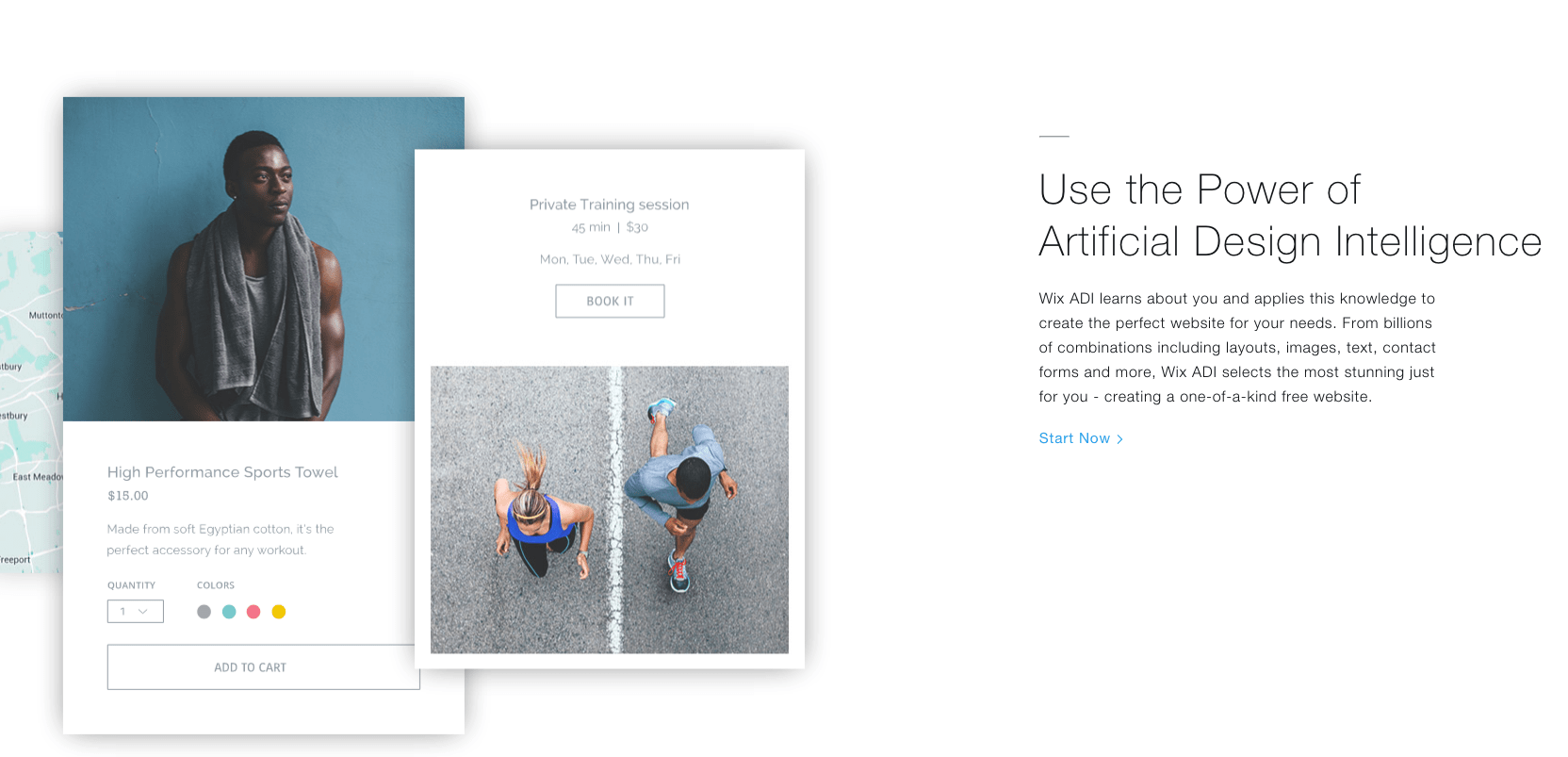
Wix is a popular website builder, most notable for its user-friendly interface. Clients can literally drag and drop items such as text and pictures to any spot on a page. They have a range of free quality website templates which provide value to anyone from a small-time blogger to someone expanding a successful online business. Although the designer might seem basic, it is quite a powerful and capable tool.
Wix puts a lot of effort into graphic design, despite the fact that they offer their website templates free of charge. This results in customer websites that look professional and unique. Beautiful visuals in website templates are also supported by the speed and stability of the site itself.
One downside is that users do not have the option of switching from one website template to another. If the look of your business changes, you won’t be able to adjust the theme without transferring it to another template manually. Additionally, if your website is hosted on Wix, you won’t be able to move it to another web hosting site.
WordPress
WordPress is the most popular website platform on the internet. It offers users an abundance of controls and and high level of customisation for free. With a catalogue of hundreds of website templates, there is truly something for everyone and every site. While many attractive templates are available for free, there is also a marketplace that features layouts designed by third party producers.
This website platform can be activated on your website host and from there you can use it to build your website. WordPress website templates offer themes that are applicable to a range of uses and industries. While many WordPress sites are used as blogging platforms, it is also quite popular as a platform for online businesses, informational sites, and essentially every other category imaginable. Themes are also very easy to change and WordPress allows users to completely change their site design without having to do a manual transfer.
Website themes can then be improved upon by activating plugins. Plugins are additional functions, such as online payments or SEO assistants.
We recommend WordPress to more advanced users who don’t require step-by-step and automated assistance. It might be worth learning the platform as it is, without a doubt, the most customisation one available.
Weebly
When Weebly first began, their template options made them a fairly weak option for users looking to build a great website. Times have changed, however, and the folks at Weebly seem to have prioritised design with a fresh and abundant selection of templates. Now offering layouts designed by third parties, Weebly is a good option for those looking for templates beyond what is offered directly by the site.
Weebly has a selection of over 40 professionally designed templates. Each template arrives with blank pages that allow the user to choose one of six different layouts. These options include a simple Home page, an About page, a Services page, a Contact page, a Menu page, and a Portfolio page. These layouts categories represent, for the most part, the standard variety of page design seen on the internet today.
It seems that the focus of the designers behind Weebly is paying off. With templates that please, Weebly is fast becoming a serious contender for even the most discerning website builders.
Shopify
We would be remiss if we did not also include an eCommerce platform as part of our rundown of dynamic web builder template options. A hard truth about online shopping is that appearance matters. No matter how good your products and service are, customers will turn away from your site if it doesn’t offer a high level of professionalism and, frankly, a nice look. Think about it. How many times have you refused to use a website because of bad design? It may not seem rational, but it makes sense that online buying – a highly visual experience – requires a great overall visual feel.
There is also a great deal of psychology that goes along with consumer behaviour. An online presence has the power to make or break a sale. A professional site is more likely to inspire buyer confidence. Even if you are simply operating a company out of a garage, what you are and what a website presents don’t have to align to achieve credibility.
Shopify is an excellent eCommerce site that features templates created especially for producing beautiful online web stores. The templates are designed with shopper psychology in mind. They are eye-catching, smart, and inspire confidence. Themes are conveniently divided by industry, including art, fashion, electronics, and more.
Basic templates are free, but they can go for as much as $180. For a one-time investment, it’s not a bad idea if you really want to set yourself apart.
JobHunt

Pretty much every template you find in this collection has a very self explanatory name and JobHunt is no different. It is a job board HTML website template with included PSD files. 53 HTML files and 53 PSD files make JobHunt template a serious deal full of options and possibilities. Of those many pages, five are custom-made index pages. In addition, you will find several job, employer, candidate and blog pages in the JobHunt package.
JobHunt is also a Bootstrap Framework template what makes it flexible and simple to modify. Change colors, perform tweaks and fill it with personal touches for a memorable experience. Introduce newsletter pop-up to your page, grab visitors’ emails and inform them about all the new vacancies.
Job Stock

Job Stock is not your every day HTML5 job board website template. It is neat, follows all the modern web standards and sports a whole bunch of incredible goodies you can take to your benefit. Along with four different front pages, Job Stock also has a dashboard template included in the bundle. On top of that, a whopping 27 inner pages solve all of your questions and concerns. No need to worry how you will build a particular area. For the most part, it is quite possible that Job Stock has it part of the big package.
To some level, Job Stock is reasonably minimal regarding it looks. All for a good reason. It makes the experience finding the gig more pleasant. Still, the features are there and hard to miss.
Job Pro

With Job Pro HTML5 website template, you can construct contemporary websites for job seekers and employers. It is a template for sites that help connect people and make both parties satisfied. The employer just found a new terrific employee while the employee scored a new job. Job Pro has plenty amazing features to bring about the much needed website as quickly as possible. A lot of content is pre-made and ready for you to put it to use straight away.
Job Pro is great for job directories, resume markets and recruitment agencies. You can choose between two home pages and eleven valid HTML5 inner pages to complete the website building process ASAP. All the content is easy to customize, responsive and ready for all sorts of challenges.
Job Finder

A very straightforward website template for job boards, Job Finder, does not overwhelm the visitor with too much stuff going on. It displays only the most important and valuable elements for job finders to find what they are looking for quickly. No unnecessary clutter and other whatnots. Two index pages, one with image and the other with slider quicken up the site development process. Moreover, you are also treated to loads of other material that will come super handy when finishing the online Job Finder platform.
Some of the additional elements are pricing tables, listings, blog pages, Google Maps and a functional contact form. If a mobile app is what you have in the works as well, Job Finder is fully equipped with call-to-action buttons to get more folks to download it.
Recruit Pro

Recruit Pro is a 100% responsive template for constructing staffing and recruiting websites. The template is powerful enough to satisfy the majority of your ideas if not all of them. Besides, if it misses something, feel free to modify it accordingly and turn Recruit Pro template into a professional job portal. It is all feasible with the right set of products and tools.
The web design of Recruit Pro template is very modern and neat with cool characteristics. You can use the item out of the box but do edit it as discussed earlier. Full-screen slider, job search, categories and latest jobs sections are predefined for your convenience. Recruit Pro is perfect to take care of your web presence and promote your mobile app.
Mega Jobs

Mega Jobs is a large HTML5 job board website template with outstanding features that will help you out tremendously. You receive a total of over 25 HTML pages of which three are home variations. All three are entirely different for you to find what you are looking for easily. But these could also affect your initial idea and make you take a completely different route. Always have an open mind and new opportunities will arise on a constant basis.
What is truly fascination about Mega Jobs is the fact how versatile the template is. Not only can you make three completely different websites, you can also cover any niche you would like. Beautiful job listing and job details pages, three different headers and fully sorted out pages for companies, Mega Jobs has all the necessities.
JobMarket

JobMarket is a Bootstrap website template with multiple functions and an option to quickly and effectively adapt to any industry. Make it a general job board or a niche specific, whatever you plan on creating, JobMarket template is ready to make it happen for you. And that, JobMarket will perform with relative ease. Wait and see the magic happen when the tool unleashes all its powers and capabilities.
Carefully designed and developed to fit the industry exactly while still giving you enough freedom to modify it per your request. No need to stick with the default options. However, those are so vast, you might not need to change much and stick with JobMarket template as is.
jobseeker

The next job portal HTML template might be using lower-case letters only but that does not make it any less powerful. As a matter of fact, jobseeker is rich in features and turns everyone into a professional. Are you new to creating job directories type of websites? No biggie, it is jobseeker template that will help you make it happen with its 25 ready-to-use files. It is more or less only assembling the mandatory elements together and your job seeking website is close to finalization. It comes super close to as easy as it sounds if that even makes any sense.
Every website that is built with jobseeker template smoothly adapts to all screen sizes, making every user a happy person. Begin the page crafting process by choosing the ideal home page. For your information, jobseeker has three. From then on, it will all feel quite natural even if it is your very first online platform you are putting together.
JobPress

When it comes to the best HTML5 job board website templates, the web design is just as important as the performance. There is no need to have too many features, animations and special effects going on. That said, having a more simple and minimal approach to the look delivers way better user experience. Stuff your website with loads of widgets and advertising and your visitors will leave early.
JobPress is a great example of a phenomenal template for websites which everyone is delighted to browse through. Those searching for a job and the others who are posting gigs, all can get the most out of a page that is powered by JobPress template.
Cariera

Awesome Google typography, great free Font Awesome icons and many outstanding features make Cariera template great alternative to all other job board website templates. It comes with MailChimp, eye-catching Isotope gallery, four headers and four footers, plus three index pages. Additional pages for candidates, employers, blog and even an online shop are all part of the deal. Do not miss out on those since they help you avoid building them from scratch.
Cariera is mobile-friendly, retina ready, has a functional AJAX contact form and valuable pricing tables. The template fully supports videos, comes with testimonials and animated statistics. If you have not yet decided which template to go with, you might just found the ideal one. Further investigate Cariera template and witness its power and the excellent potential it has to become the tool of choice.
WorkScout

WorkScout is a clean and crisp, levelheaded and professional, well structured and polished, attractive and deeply engaging, dynamic and easy to use and customize, visually simple and inviting, functionally rich and feature-dense responsive HTML5 job board website template. It is a fantastically flexible and very solidly built template that has been carefully constructed on a solid foundation of HTML5 elements on a CSS3-powered Bootstrap framework that is modular and developer friendly. This ensures WorkScout has the optimal combination of raw power, sheer pliability and technological resourcefulness to handle all the needs a modern job board website may encounter during its design, development and maintenance.
Including premium plugins for your convenience and to dazzle your users with, such as the Slider Revolution and Showbiz Pro Responsive Teaser jQuery plugins, on top of Responsive Pricing Tables, limitless menu levels as well as the gorgeous responsive jPanelMenu, for a responsive menu experience as seen on websites like Facebook or YouTube mobile, right out of the box. The Responsive Boilerplate design of the attractive and cutting edge Skeleton Grid will make your website stand out from the crowd like none other. Over 20 included HTML5 pages make building your own professional job board website a painless matter that will take minutes at most. Enjoy WorkScout today!
Resources
1.8 Plan the content and layout needed for each page on a website.
1.Understand where you are starting from
More often than not, a designer’s participation in a project is not something that happens in isolation. Clients won’t always contact you to start something from scratch. In most cases you will have to understand the system currently in place, and if your project is meant to challenge it, find opportunities to evolve it, or follow it as it is.
The options are limitless. Understanding what’s in place from a design perspective is key if you’re to move fast and recognise where the opportunities to innovate are, as opposed to needing to challenge what has been established and coming off as someone unable to understand the requirements.
2. Share designs with clients early on
When proposing an interactive concept or a design ‘look and feel’, you need to ensure that you and the client both get on the same page as soon as possible. Avoid spending too much time on a concept before sharing it with the client.
Once the initial concept is approved you can relax a little bit and start production. But after presenting the first concept, if the client doesn’t fall in love with it, you should gather enough feedback to bring a second, more appropriate, concept to the table.
3.Tackle layout first
This seems very obvious, but I’ve found too often that designers jump straight into their work before giving any thought to the problem they are trying to solve. Design is about solving problems, and those problems can’t be resolved through gradients or shadows, but rather through a good layout and a clear hierarchy.
Think about the content, the layout and the functionality before starting to drop shadows. Make sure those thoughts are in line with your client’s goals and feel free to share them.
4.Start sketching a top-level framework
When I’m asked to create a look and feel for a website layout, the first thing I do is to come up with a top-level framework that solves all the design problems. The framework is the UI that surrounds the content and helps the user perform actions and navigate through it. It includes the navigation and components like sidebars and bottom bars.
If you approach your design from this perspective, you will have a clear understanding of what your layout needs will be when designing sections beyond the homepage.
Evaluate Your Current Copy
The first thing to do when creating your new website is to evaluate your current copy. If this is your first website, look for materials like existing brochures to establish what content is already available.
Determine Your Target Audience
Before deciding on what content to include on your site, establish who constitutes your website’s target audience. Understanding, or at least identifying, who you are speaking to will help provide clarity as you plan the remainder of your content.
This will also allow you to gauge whether or not information is clear or even necessary. It may help to develop primary, secondary, and even tertiary audiences to make sure that you take into account all of your visitors and their individual needs.
Collaborate with Others
Even if you are the sole person in a business, you will want to include others in the review and editing process to ensure your copy is grammatically correct and that it makes sense to others.
If you work in an organisation that requires other stakeholders to weigh in or contribute, there are a variety of methods that can help ease this pain. Try to avoid using one single file for all of your content, as this doesn’t allow for easy collaboration.
Resource
1.9 Explain how laws, guidelines and constraints affect the content and the use of website.
Copyright Law Basics
Copyright protection is automatic for any creative work that is created after 1978 and fixed in some tangible form. You don’t have to display a copyright symbol or register rights to your item for it to receive copyright protection. For this reason, you should assume all content on the Web is copyrighted unless it explicitly states otherwise. Copyright laws are federal laws, which means you generally have to sue in federal court if someone violates your copyrights. If someone from another country steals your items — an increasingly common phenomenon given the worldwide reach of the Internet — it can be extremely difficult to enforce your copyright protection.
Fair Use
The “Fair Use Doctrine” provides an exception to copyright laws for scholarly and educational purposes. Fair use permits people to take limited excerpts of works for articles, critiques and other public services. Parodies of copyrighted works are also generally protected. There is no standard excerpt that is permissible under law, and guidelines about fair use are relatively unspecific. If your small business has had copyrighted material copied from your website, courts examine the purpose of the use of copyrighted work, the financial effect the use has on the copyright holder, the degree to which an item was excerpted and the nature of the copyrighted work when determining whether a violation has occurred. For example, a person cannot excerpt a photo, so re-posting a photo from your website might constitute copyright infringement, but excerpting a line from a book you sale might not.
Digital Millennium Copyright Act
The Digital Millennium Copyright Act removes liability from websites whose users commit copyright infringement so long as the websites take the material down. This means that even if YouTube or Facebook allows you to upload something on your small business page, you could still be committing copyright infringement and the material can be removed. Some Internet users believe that if they state that no copyright infringement was intended they might escape liability. For example, people frequently re-post songs on YouTube with a disclaimer stating they are not violating copyright laws. This does not, however, absolve users from liability, so it is important to check the copyright status of any material you upload to a website.
Illegal Downloads
Illegal downloads have cost musicians, authors and other creative professionals millions of dollars. It is illegal to download or upload copyrighted material, such as books, songs and movies without the explicit permission of the copyright holder. The Recording Industry Association of America has sued many individuals for illegal downloads. If you plan to use music on your business website, ensure that you obtain the music legally and that you have permission to use the music.
Preventing Infringement
The simplest way to avoid infringing on another person or business’ copyrights is to seek permission to use anything that is not yours. Even using a photographer’s photo on a personal blog could constitute copyright infringement. If you are concerned about your copyrights being infringed upon, insert watermarks and upload material in formats that are difficult to copyright, PDF files. There is no guaranteed method for preventing infringement, but registering your copyrights and prominently displaying a copyright symbol can deter would-be thieves.
Budget
Budget is always going to be one of the key project constraints…no question. Budgets limit the project team’s ability to obtain resources and might potentially limit the scope of the project. For example, component X cannot be part of this project because the budget doesn’t support it. The customer usually has only so much they can spend on the project. Likewise, work can only be done by the delivery organization for a certain price…it can only be done so cheap. At some point it wouldn’t worth doing.
Time
Time is another key project constraint. This usually comes in the form of an enforced deadline, commonly known as the “make it happen now” scenario. If you are in charge of the company’s project manager retreat scheduled for June 15th, your project is time constrained. Once the airline and hotel reservations have been made and work has been set aside, you can’t move the date. You can’t just go into your project scheduling software and move the tasks further out. It just doesn’t work that way. It’s set in stone now – all activities on this project are driven by the due date and the projects that your project managers are running rely on this date to be met.
Quality
Quality would typically be restricted by the specifications of the product or service. Most of the time, if quality is a constraint, one of the other constraints – time or budget – has to have some give. You can’t produce high quality on a restricted budget and within a tightly restricted time schedule. Of course, there are exceptions, but usually not in reality – just in the movies.
Other constraints
Schedule constraints can cause interesting dilemmas for the project manager. For example, let’s assume you are the project manager in charge of rolling out a new customer relationship management system (CRM). If end users aren’t available to help with requirements definition and then later to perform user acceptance testing, then you won’t be able to meet your schedule deadlines. So resource availability is definitely a constraint.
Technology can also be a major project constraint. For example, your project might require the use of leading-edge technology that is still so new it’s not been released on a wide-scale basis. One impact might be that the project will take an additional six months because existing technologies need to be used instead of the new technology.
What’s happening in your organisation and with your executive management can also be a project constraint. They can change direction, change priorities, and change funding depending on what they think is best for the organisation at any given time…and it can impact your project or projects.
Resources
1.10 Explain when and why to use different file types for saving content.
1. JPEG (or JPG) – Joint Photographic Experts Group
JPEGs might be the most common file type you run across on the web, and more than likely the kind of image that is in your company’s MS Word version of its letterhead. JPEGs are known for their “lossy” compression, meaning that the quality of the image decreases as the file size decreases.

You can use JPEGs for projects on the web, in Microsoft Office documents, or for projects that require printing at a high resolution. Paying attention to the resolution and file size with JPEGs is essential in order to produce a nice looking project.
2. PNG – Portable Network Graphics
PNGs are amazing for interactive documents such as web pages, but are not suitable for print. While PNGs are “lossless,” meaning you can edit them and not lose quality, they are still low resolution.

The reason PNGs are used in most web projects is that you can save your image with more colors on a transparent background. This makes for a much sharper, web-quality image.
3. GIF – Graphics Interchange Format
GIFs are most common in their animated form, which are all the rage on Tumblr pages and in banner ads. It seems like every other day we have a new Grumpy Cat or Honey Boo Boo animated GIF. In their more basic form, GIFs are formed from up to 256 colors in the RGB colorspace. Due to the limited number of colors, the file size is drastically reduced.

This is a common file type for web projects where an image needs to load very quickly, as opposed to one that needs to retain a higher level of quality.
4. TIFF – Tagged Image File
A TIF is a large raster file that doesn’t lose quality. This file type is known for using “lossless compression,” meaning the original image data is maintained regardless of how often you might copy, re-save, or compress the original file.

Despite TIFF images’ ability to recover their quality after manipulation, you should avoid using this file type on the web — it can take forever to load. TIFF files are also commonly used when saving photographs for print.
5. PSD – Photoshop Document
PSDs are files that are created and saved in Adobe Photoshop, the most popular graphics editing software ever. This type of file contains “layers” that make modifying the image much easier to handle. This is also the program that generates the raster file types mentioned above.
The largest disadvantage to PSDs is that Photoshop works with raster images as opposed to vector images.
6. PDF – Portable Document Format
PDFs were invented by Adobe with the goal of capturing and reviewing rich information from any application, on any computer, with anyone, anywhere. I’d say they’ve been pretty successful so far.

If a designer saves your vector logo in PDF format, you can view it without any design editing software (as long as you have downloaded the free Acrobat Reader software), and they have the ability to use this file to make further manipulations. This is by far the best universal tool for sharing graphics.
7. EPS – Encapsulated Postscript
EPS is a file in vector format that has been designed to produce high-resolution graphics for print. Almost any kind of design software can create an EPS.

The EPS extension is more of a universal file type (much like the PDF) that can be used to open vector-based artwork in any design editor, not just the more common Adobe products. This safeguards file transfers to designers that are not yet utilizing Adobe products, but may be using Corel Draw or Quark.
8. AI – Adobe Illustrator Document
AI is, by far, the image format most preferred by designers and the most reliable type of file format for using images in all types of projects from web to print, etc.
Adobe Illustrator is the industry standard for creating artwork from scratch and therefore more than likely the program in which your logo was originally rendered. Illustrator produces vector artwork, the easiest type of file to manipulate. It can also create all of the aforementioned file types. Pretty cool stuff! It is by far the best tool in any designer’s arsenal.
9. INDD – Adobe In-design Document
INDDs (In-design Document) are files that are created and saved in Adobe In-design. In-design is commonly used to create larger publications, such as newspapers, magazines and eBooks.
Files from both Adobe Photoshop and Illustrator can be combined in In-design to produce content rich designs that feature advanced typography, embedded graphics, page content, formatting information and other sophisticated layout-related options.
10. RAW – Raw Image Formats
A RAW image is the least-processed image type on this list — it’s often the first format a picture inherits when it’s created. When you snap a photo with your camera, it’s saved immediately in a raw file format. Only when you upload your media to a new device and edit it using image software is it saved using one of the image extensions explained above.
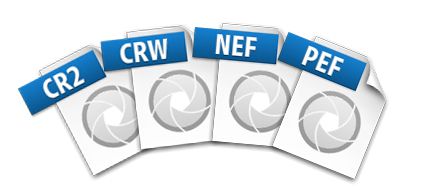
RAW is an image file format used by many high-end and professional digital cameras. RAW files are considered to be the best form of image file, since it does not process the picture, leaving total control of the editing to the user. RAW file size is much larger that .JPEG files, but is slightly smaller than .TIF files. RAW image files can be edited by Adobe Photoshop and Corel Paint-shop Pro. RAW image files can be converted to .JPEG or .TIF by using Rea-Converter.
Resources
 Digital Marketing Level 4